CQ WPX Contesting

Spent some time yesterday and today playing on the radio during the CQ WPX SSB contest. It’s a 48 hour long contest with an exchange of RS(T) and incremental contact number and multipliers for the number of unique prefixes worked.

Instead of using paper logs this time, I installed the N1MM contest logger on the laptop and logged everything there. It conveniently has a list of different contests, including CQ WPX and does all the scoring for you. N1MM is clearly designed to have a connection to the radio to get frequency info, which I don’t have yet so each contact I had to edit the log entry and change the frequency. Slightly inconvenient, but after a while I got used to it.

I spent about 4 hours on the radio Friday night after the contest started (000Z 30-Mar-2013) and didn’t get back to it until this morning. One of the things that I thought was interesting was seeing the contest activity march down the bands as the day went on. Friday night, almost all the activity I heard was on 40m, but this morning, there wasn’t any contest activity that I could hear on 40m. Most of the contest activity was happening on 15m. As the day went on, contest activity on 15m faded away and 20m started becoming more active during the late afternoon hours. Then activity on 40m started picking up during the early evening up until I decided to call it quits around 1930.

Not entirely sure if it’s all related to how band conditions change through the day. There’s a lot about propagation that I’m interested in learning about and I’m pretty sure I was seeing some of that changing propagation through the day.

I worked a total of about 12 hours on and off during the contest and tallied up 82 contacts. It’s the longest stretch of contesting I’ve done so far. Don’t know what my farthest contact was, but I worked a lot of European stations. One of the nice things N1MM does is calculate the contest score for you. Mine came out to 17901 with 81 unique prefixes worked.

It was fun playing in this contest, more so for listening and observing the band activity than the contacts (although that’s always nice). Looking forward to seeing how the overall results look.
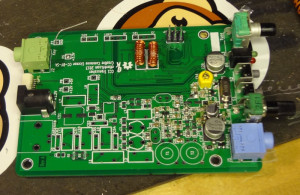
CC1 lives!

CC1 works!

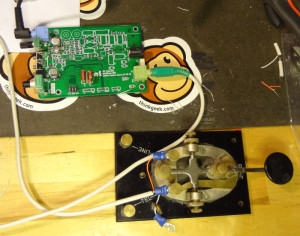
Soldered the L12 and L13 inductors (heat strippable enameled wire rocks BTW), made up a cable to connect the straight key (CC1 is really designed for a paddle, but I made the straight key work) and plugged in some headphones.

Testing CC1
Testing CC1

Applied power and CC1 greeted me by beeping ‘CC1’ in Morse code. Tapped the key and got a stream of dits. Grounded the other wire and got a stream of dahs. Pressed the S1 button and got an ‘S’ and pressing S2 gave me the frequency (I could only copy an R and 8 in the string of numbers).

Started work on the next section, the Mixer/IF/Product detector/BFO. With the connectors and larger caps, some of the pads on that section of the board are starting to get a little hard to access with the chisel tip on my soldering iron. If I’m going to do more stuff like this, I’m going to have to find myself a narrower chisel tip to work with.

CC1 Mixer/IF section

About one quarter through this section of the build now and starting to get into the band specific components. I’ll be building my CC1 for the 40m band. Quite pleased with how things are going so far and I’m learning quite a bit.

CC1 Winding toroids

CC1 has a lot of toroids on it. Dave/AA7EE wound some pretty nice looking toroids for his CC1 so I asked him for some tips and tricks for winding toroids. He uses a crochet hook to pull the wire through, but also pointed me at this YouTube video showing the “chopstick method”.

A method for winding toroids by K6JEB

It’s a pretty good way of winding toroids. The chopstick holds the toroid and lets you apply a bit of tension to the wire to get nice tight windings.

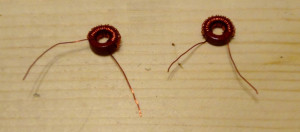
CC1 inductors L12 and L13

2 down, 11 more to go…

CC1 back on track

The CC1 build is back on track with the replacement U6 transistor and U4 oscillator.

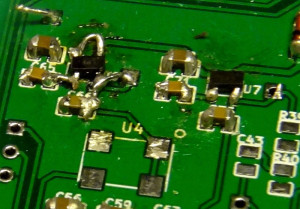
I ended up completely mangling 3 out of the 5 pads that U6 is mounted on, so I had to do some creative/ugly jumpering between U6 and the components it connects to.

Pro tip: Before trying to remove a part, make sure all the solder is removed before pulling it off.

CC1 voltage regulators

It’s supposed look like U7 on the right (maybe minus that big ball of solder on pin 4). Instead, I had to jumper across to C65 and C66 and connect pins 1 and 3 (normally connected by a trace under U6). The wire to the right connects Vout to the 3.3V test point. It looks ugly, but it works. Still getting 5V from U7, and 3.26V out of U6. For a while, I was getting a little worried that I had completely ruined things.

CC1 build is back on track. Next I need to wind some inductors for L12 and L13 to finish off the audio amp/mute stage.

CC1 Audio Amp/Mute

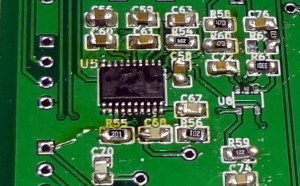
Finished off the microcontroller/DDS section of the build with the installation of U5. Used the solder and wick method to put it on as suggested in the assembly guide. Used a bit of flux paste to help hold the IC down and went at it with the solder. Worked out reasonably well and I think I managed to get it on without any solder bridges.

CC1 microcontroller/DDS

The next section (Audio amp/mute) has more SMT and is a fairly dense section of the board. Takes some patience and steady hand to get all the components in, but by now you’re used to the ‘tack and solder’ method so it goes a little faster.

CC1 audio amp/mute section

Dave/AA7EE suggested installing one of the electrolytic caps (C36) in this stage and thinking I’d be clever, I went ahead and did it early. A little too early as it turned out, because the stage also calls for the two other larger electrolytic caps (C20 and C29). C36 is right next to C29, and if C36 is there first, it’s impossible to install C29. So because I jumped the gun, I ended up having to remove C36, solder on C29 then solder C36 back on.

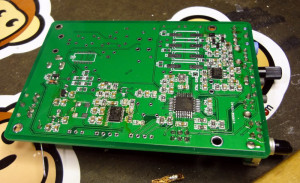
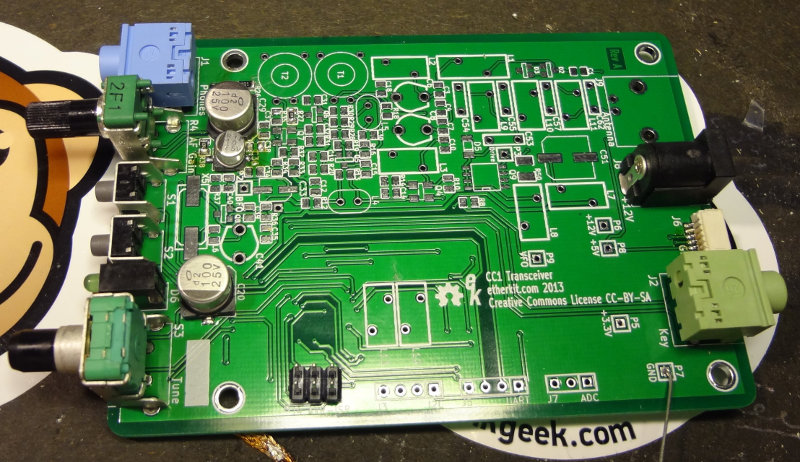
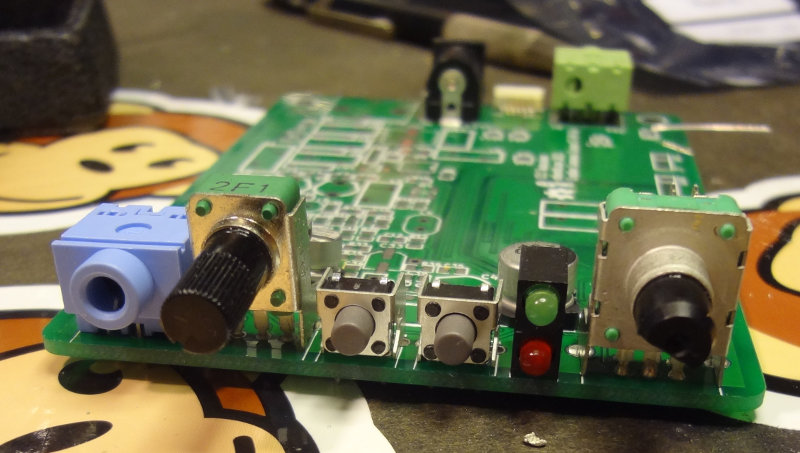
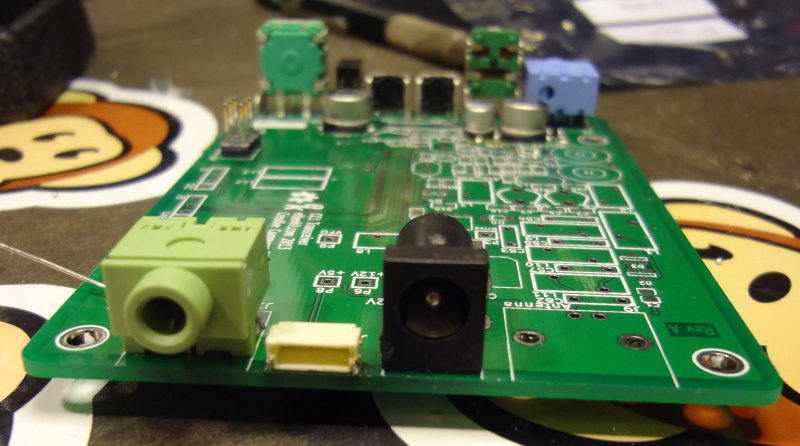
The last part of the stage involves putting on the connectors and switches, which is pretty easy and goes pretty quickly. Almost starts looking like a transceiver now.

Next step is to wind two inductors and put them on. Once the replacement U4 and U6 arrive, I’ll put those on and be able to test if it produces any tones.